Manual notes flatten a live class into a guess.
- Late joins and early exits are easy to miss.
- Recurring absence patterns stay buried in spreadsheets.
- Attendance records take extra cleanup after every meeting.
RollCall turns each Meet into a local attendance record with participant timelines, session history, and CSV export.
The attendance gap
RollCall records Google Meet join and leave events locally, then turns them into timelines, participant histories, and CSV exports teachers can use after class.
Live meeting record
RollCall keeps a local record for each Meet: first join, last leave, total time, live status, and rejoin count.
Detailed timeline
When someone drops and comes back, RollCall keeps each join and leave window instead of flattening the record into present or absent.
Participant history
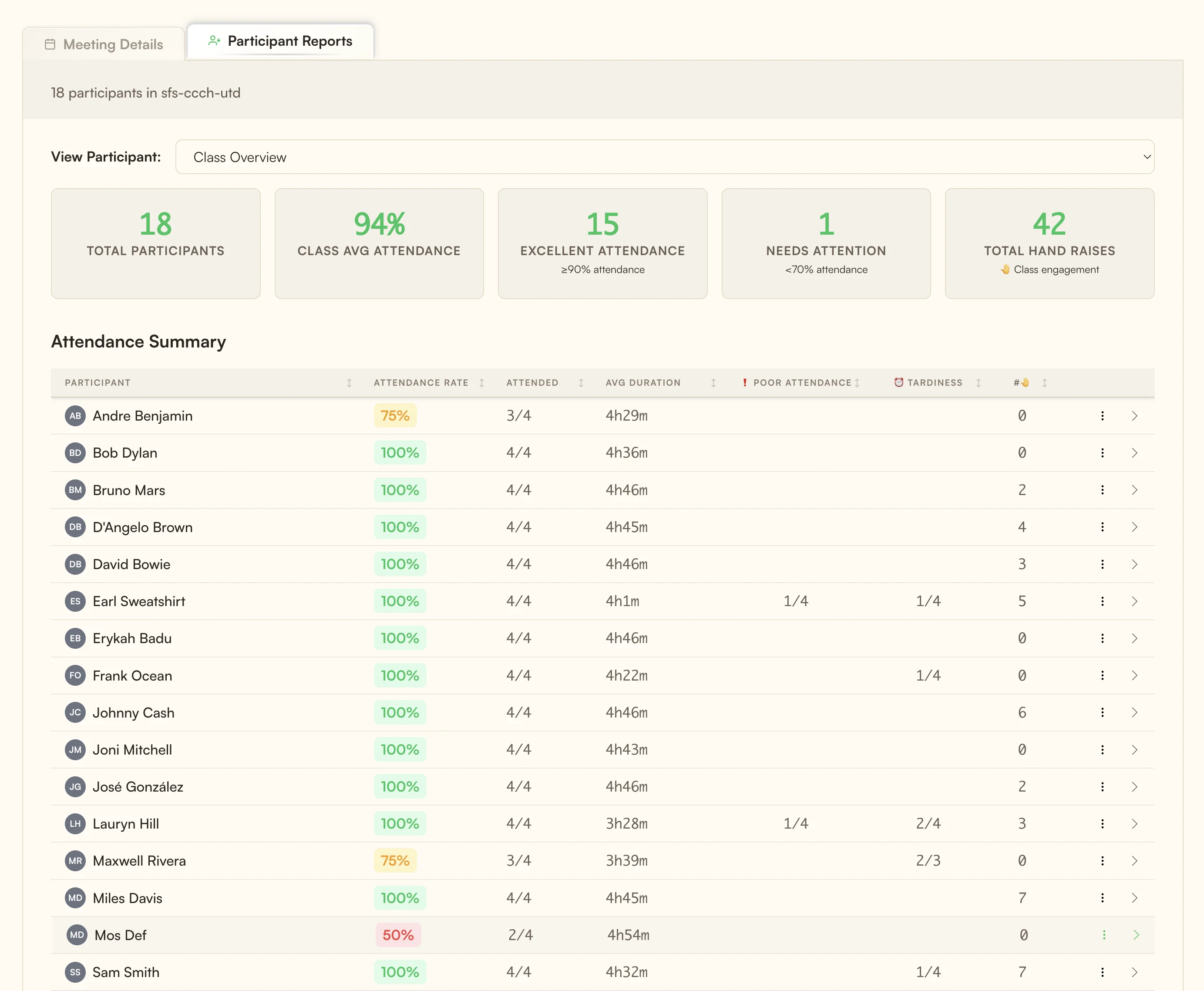
Participant reports connect attendance rate, punctuality, session duration, and calendar history so repeated patterns are easier to see.
Built for recurring Meet sessions
Private until you export
RollCall uses Chrome local storage, does not require an account, and lets you export CSV files when you need to move records into another system.
Add RollCall to your Chrome browser in seconds
Start or join any Google Meet session as usual
RollCall records join, leave, and rejoin events as they happen
Review the local record or export a CSV copy
RollCall stores attendance records locally in Chrome storage on your device. It does not require a RollCall account or cloud upload for attendance history.
RollCall works with Chrome browser and Google Meet. No additional software installation required.
Unlike cloud-based tools, RollCall doesn't require accounts, doesn't limit history retention, and keeps attendance records in your browser profile.
Yes, you can export attendance reports as CSV files for use in spreadsheets or grade books.